

Guide Outreach
Link building outreach: the complete process for 2026
How link building outreach works in 2026: find posts worth a link, verify the editor, write one pitch per post, send safely, follow up and monitor.
Nikunj Thakkar Published 18 min read
Short answer
Link building outreach is emailing the person who edits a relevant page and asking them to link to you because it helps their readers. In 2026 the process that works is: find pages where you belong, check they are worth it, verify the editor, write one pitch per page, send from an authenticated mailbox at low volume, follow up once or twice, then confirm and monitor the link.
On this page
Link building outreach is the practice of contacting the person who edits a relevant web page and asking them to link to your site because the link genuinely helps their readers. In 2026 it works as a seven-stage loop: find pages where you belong, qualify them, verify the editor, write one pitch per page, send from an authenticated mailbox at low volume, follow up once or twice, then confirm and monitor the link.
This guide is the hub for everything outreach on this blog. Each stage below explains what to do, the mistakes that cost people replies, and where to go deeper. If you want the step-by-step for one specific link type, our guide on getting listed in “best of” articles covers that in detail.
Key takeaways
- Outreach works when each email is about one specific page and why your product belongs on it. Bulk templates are what editors delete.
- Who you email matters as much as what you write. Find the author or the person who updates the page, and verify the address before sending.
- Since 2024, Gmail and Yahoo enforce sender rules (authentication, spam rate under 0.3%). Send from a separate, authenticated domain, ramp slowly and keep volume low.
- Count links won, not opens. Apple Mail Privacy Protection makes open rates unreliable, and replies only matter if they turn into links.
- Never offer money for a link. Google’s spam policies treat paid links that pass ranking credit as link spam.
What is link building outreach?
Link building outreach is asking a site owner, editor or author, usually by email, to add a link to your site on a page they control. It is one form of cold outreach: you write to someone who has not heard from you before, with a request that should make sense to them on its own merits.
Blogger outreach is the same work aimed at independent bloggers and niche writers rather than publication editors. The process in this guide applies to both.
The links you are after are editorial links: the editor chooses to add them because they improve the page. That is the line between outreach and link buying. An editor who adds your tool to a “best project management apps for agencies” list because it fits is giving you an editorial link. An editor who adds it because you paid them is selling a link, and Google’s spam policies name “exchanging money for links, or posts that contain links” as link spam.
Why outreach still matters in 2026
Links remain one of the ways search engines find and judge pages, and the pages you pitch in outreach are often the same ones people read when they compare products. A listing in a well-read “best X” article sends buyers directly, before any ranking effect. Many AI answer tools also draw on these comparison articles when they summarise a category, though how each one picks sources is not public, so treat that as a side benefit rather than the goal. We cover that topic in the AI search visibility hub.
How does link building outreach work?
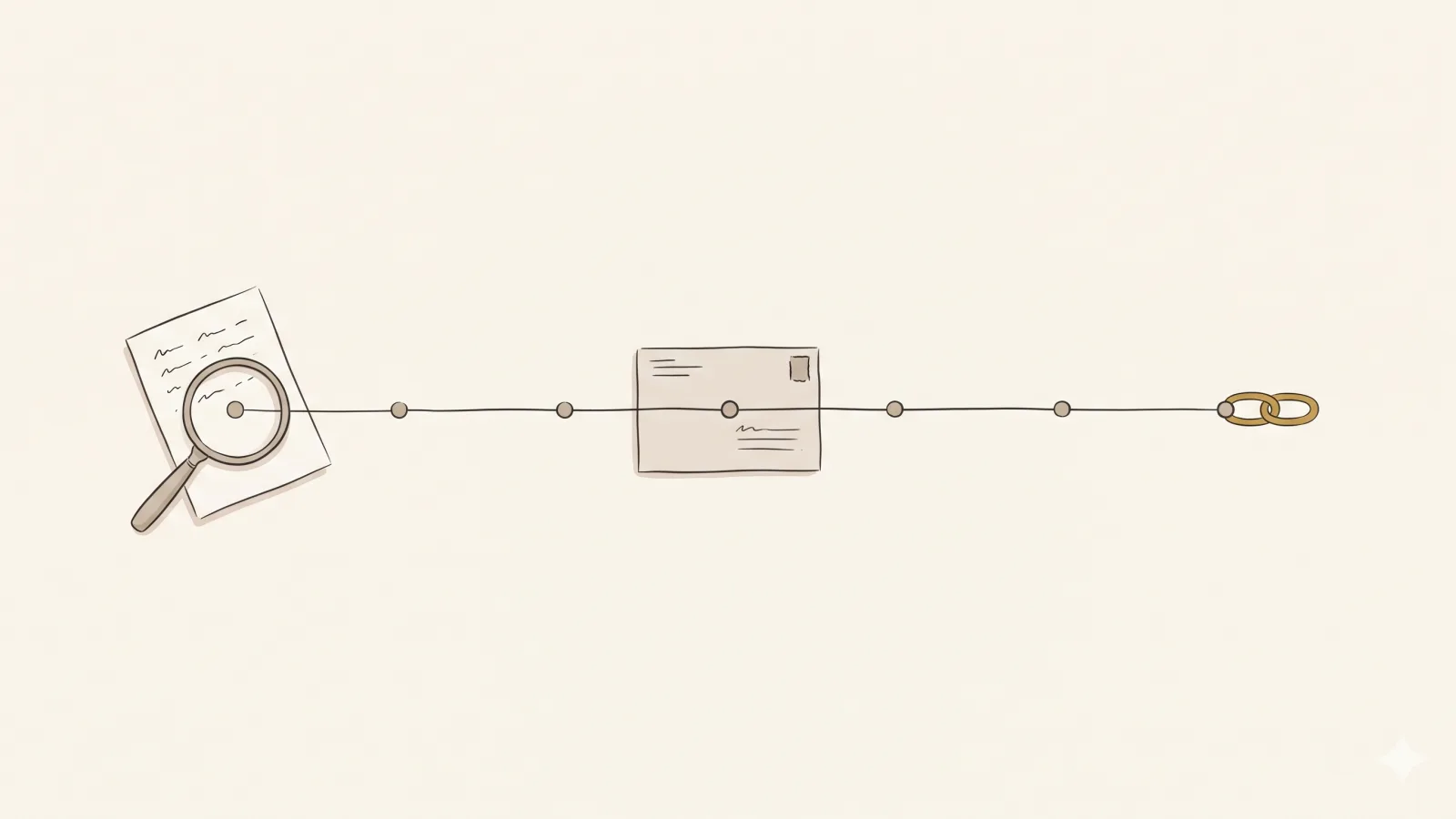
Every outreach campaign, whether one founder sends five emails a week or an agency runs dozens of client sites, follows the same loop. Skipping a stage is the usual reason campaigns fail.
| Stage | What you do | What goes wrong when you skip it | Deeper guide |
|---|---|---|---|
| 1. Find | Search for pages where your product or content belongs | You pitch pages that were never going to link | Find listicles in your niche |
| 2. Qualify | Check relevance, traffic, freshness and whether the site sells links | Wasted pitches, or links from sites that hurt more than help | How to choose sites to pitch |
| 3. Verify the editor | Find the person who updates that page and check the address | Bounces, wrong-person emails, damaged sender reputation | Find the editor’s email |
| 4. Pitch | Write one short email about that page | Template blasts that read as spam | Outreach email templates |
| 5. Send | Use an authenticated mailbox on a separate domain, ramped slowly | Spam folder, blocked domain | Google Workspace for outreach |
| 6. Follow up | One or two polite nudges, then stop | Lost replies, or complaints from over-chasing | Follow-up template |
| 7. Confirm and monitor | Check the link is live, then re-check it | Links removed or switched to nofollow without you knowing | Backlink monitoring |
The rest of this guide takes each stage in turn.
Step 1: What kind of link are you asking for?
Before you search for anything, decide which request you are making. The type of link decides who you search for, what you offer and how hard the yes is. For most software products the best first request is a spot in a list; alternatives articles are often the easiest yes.
| Link type | What you ask for | What you offer the editor | Editor effort | Best for |
|---|---|---|---|---|
| Listicle inclusion | A spot in a “best X” or “top tools” article | A product that fits a gap in the list | Low: one entry | SaaS and products |
| Alternatives post | A mention in “[competitor] alternatives” | A real alternative with a clear difference | Low | Products with known competitors |
| Comparison article | Being added to an “X vs Y” or roundup comparison | Accurate facts for one more column or row | Low to medium | Products in crowded categories |
| Resource page | A line on a curated list of links | A useful page, tool or guide | Low | Free tools, guides, templates |
| Broken link | Replacing a dead link with yours | A working page on the same topic | Low | Sites with deep content |
| Unlinked mention | Turning an existing mention into a link | Nothing new; just convenience | Very low | Brands already being written about |
| Guest post | Publishing a full article you write | A finished article | High | Thought leadership, new audiences |
For a SaaS product, the first three rows usually give the best return. The article already exists, it is about your category, and the editor only has to add one entry. That is why this blog has a whole hub on listicle link building. Ready-made wording for each request type lives in our outreach email templates, for example the listicle inclusion template and the broken link template.
Step 2: Where do you find prospects worth pitching?
A prospect is a single page plus the person who can change it. A good prospect list is built page by page, not domain by domain, because your pitch is about one specific article.
Three sources produce most good prospects:
- The searches your buyers run. Search Google for “best [category] for [audience]”, “[competitor] alternatives”, “[competitor] vs” and “[category] tools”. Read the top 20 to 30 results. Any article that lists your competitors but not you is a candidate. Our link prospecting search strings tool generates these queries for your niche.
- Your competitors’ backlinks. Pages that already link to two or three of your competitors are likely to accept a similar product. We cover the method in how to find your competitors’ backlinks.
- Mentions without links. Pages that name your brand but don’t link to it are the easiest yes there is. Set up a brand alert and check new mentions weekly.
Write down, for every prospect, the exact URL, why you belong there and which section you would fit in. If you can’t write that sentence, drop the prospect.
Step 3: How do you qualify a page before you pitch it?
Qualifying is where you protect your time and your link profile. A page can rank and still be a bad target. Check these five things:
- Relevance. Would a reader of this page plausibly want your product? Relevance beats authority for both readers and rankings.
- Is the site alive? Look at the publish or update date and whether the site still posts. A list last touched in 2021 may never be edited again.
- Does it sell links? “Write for us” pages with price lists, “sponsored post” menus and every article carrying commercial links are warning signs. Links from these sites are the kind Google’s link spam policy targets.
- Authority, as a tie-breaker. Metrics such as Domain Rating (Domain Rating by Ahrefs) help sort a long list, but don’t reject a highly relevant small site just for a low score.
- Does the page link out at all? Some publishers nofollow every outbound link or never link to products. Check a few existing entries with a nofollow link checker.
Our checklist on how to choose sites to pitch turns this into a scoring sheet, and what makes a page worth a link goes deeper on each signal.
Step 4: How do you find and verify the editor?
The person who can say yes is usually the author of the article or the editor who maintains it, not “info@” or the CEO. Check the byline, the author page, the site’s team or masthead page and the article’s structured data (many sites publish an author field in their schema markup). When none of that names a person, a contact form is sometimes the right channel, and sometimes the right call is to skip the post.
Once you have a name and domain, work out the address pattern (first@, first.last@, and so on) and verify it before sending. A verifier checks whether the mail server accepts the address; it can’t always tell you on catch-all domains, which accept everything. Bounced emails hurt your mailbox’s sender reputation, so an unverified address is a risk, not a shortcut. The full method, including the email permutator and how to read verifier results, is in how to find the editor’s email for any blog post.
Step 5: What should a link building outreach email say?
A good outreach email is short, plain and about the editor’s page, not your company. It answers three questions in under 120 words: which page, where you fit, and why that helps their readers.
A structure that works for list inclusions:
- Subject line: name the article. “Your ‘best CRM for freelancers’ list” beats anything clever. The subject line tester flags common problems.
- Line one: prove you read it. Mention a specific section or a criterion the author used.
- Line two: where you would fit and the one difference that matters to their reader (“it’s the only one on the list with a free plan for teams of five”).
- Line three: make it easy. Offer a one-sentence description and the URL, or offer to send screenshots.
- Sign-off: your real name and role. No pressure, no deadline.
What makes an email personal is not the first name merge field. It’s a detail that could only apply to that page. Before sending, run your draft through the free outreach email checker to catch spammy phrasing, too many links and length problems. For annotated before-and-after versions, see these guest post and listicle pitch examples.
Step 6: How do you send outreach without hurting your domain?
Sending is where many campaigns quietly fail. Your pitches can be excellent and still land in spam if the mailbox behind them looks untrustworthy.
The rules mailbox providers now enforce
Since February 2024, Google’s email sender guidelines require every sender to personal Gmail accounts to set up SPF or DKIM, keep spam rates reported in Postmaster Tools below 0.3% (Google recommends staying under 0.1%), use TLS and have valid DNS records. Senders of 5,000 or more messages a day to Gmail must also use SPF, DKIM and DMARC and support one-click unsubscribe for marketing messages. Google’s sender guidelines FAQ adds that from November 2025 it has been ramping up enforcement, including temporary and permanent rejections of non-compliant mail. Yahoo’s sender requirements set the same 0.3% spam-rate line for all senders.
One-to-one link outreach is nowhere near the 5,000-a-day bulk threshold, but the all-sender rules still apply, and outreach attracts more “report spam” clicks than normal business mail. What the rules mean in practice is covered in our outreach deliverability guide.
A sending setup that holds up
| Setting | What to do | Why |
|---|---|---|
| Domain | Use a separate outreach domain close to your brand, redirecting to your site | Your main domain’s reputation is never at stake |
| Mailbox | A real Google Workspace or Microsoft 365 mailbox, not a bulk-mail service | Pitches look and behave like normal one-to-one email |
| Authentication | SPF, DKIM and DMARC on the sending domain | Required by Gmail and Yahoo; failing them hurts delivery |
| Volume | Start at a few emails a day and increase over about a month | New domains have no history, so providers watch them closely |
| Format | Plain text, one recipient, one or two links, no attachments | Fewer spam signals, more like a real person writing |
Google Workspace’s own sending limits allow 2,000 messages a day per user (500 on a trial account) and 3,000 external recipients a day, but those are system caps, not safe outreach targets. Our Google Workspace cold email guide explains realistic volumes, and the mailbox warmup calculator models the ramp. The SPF and DMARC generator writes the DNS records for you.
Worked example: how much one mailbox can send
Say you ramp a new mailbox from 4 emails a day to 35 a day over a month (the ramp we use; more on that below). At full speed, 35 emails a day is the ceiling. If every pitch gets the first email plus two follow-ups, that’s three emails per prospect, so roughly 11 new prospects a day once the mailbox is warm. Over a 30-day month at full speed, that’s about 1,000 emails, or around 350 prospects contacted. The outreach volume planner runs this maths with your own numbers.
Step 7: How many follow-ups should you send?
Send one or two, then stop. Plenty of replies come after a follow-up, because editors miss or postpone emails. One or two follow-ups, spaced several working days apart, each adding something small (a screenshot, a specific line they could paste), is the pattern most practitioners settle on. More than that starts to read as pressure and raises the chance of a spam report, which counts against the 0.3% line above.
Stop immediately when someone replies, even with a no. There’s a follow-up template you can adapt.
Step 8: How should you handle replies?
Replies fall into five groups, and each needs a different response.
- Yes. Reply the same day with exactly what they need: the page URL, the suggested link text and one or two sentences they can paste. Make the edit take them a minute.
- “Tell me more.” Answer the question asked, briefly. Offer screenshots or a trial account if it helps them judge the product.
- “We charge for that.” Decline politely, or ask whether the link would be marked
rel="sponsored". Our decline template covers the first path. - “Link to us and we’ll link to you.” Usually decline. Occasional, relevant cross-references are normal; arranged swaps at volume are what Google’s spam policies call “excessive link exchanges”.
- No, or unsubscribe. Thank them, stop, and add the domain to a do-not-contact list so nobody on your team emails them again.
Step 9: How do you confirm the link and keep checking it?
A yes is not a link until it’s live. Check the page after the editor says it’s done: is the link there, does it point to the right URL, and is it followed or marked nofollow or sponsored? Then re-check it regularly. Links disappear when pages are rewritten, lists are trimmed or sites change CMS. A lost link caught within weeks is often restored with one friendly email, while one discovered a year later rarely is. Backlink monitoring explains the options, from a monthly manual check to automated alerts.
How do you measure link building outreach?
The metric that matters is links won per prospects contacted, followed by what those links do for traffic and rankings. Open rates were always noisy, and Apple’s Mail Privacy Protection “prevents senders from seeing if you’ve opened the email message they sent you”, so opens are unreliable for anyone reading in Apple Mail with it switched on.
| Metric | Formula | What it tells you |
|---|---|---|
| Reply rate | Replies ÷ prospects contacted | Whether your targeting and pitch are relevant |
| Positive reply rate | Yes or “tell me more” ÷ prospects contacted | Whether you are pitching pages where you truly fit |
| Link rate | Live links ÷ prospects contacted | The outcome that pays for the work |
| Bounce rate | Bounces ÷ emails sent | Contact quality; high numbers hurt sender reputation |
| Cost per link | Total cost ÷ live links | Comparable against buying or agency pricing |
To make that concrete with made-up but plausible numbers: if you contact 200 prospects in a month, get 24 replies and win 8 live links, your reply rate is 12% and your link rate is 4%. If tools and time cost $600, that’s $75 per link. These are illustrative numbers, not benchmarks; what counts as good varies widely by niche and link type. The link building cost calculator helps you compare your cost per link with other ways of getting links.
Is link building outreach legal, and is it spam?
Sending a relevant, honest, one-to-one business email to someone about their published page is legal in most countries, but rules differ. In the US, the FTC’s CAN-SPAM compliance guide applies to commercial email, including business-to-business: no misleading headers or subject lines, a valid postal address, a clear way to opt out, and opt-outs honoured within 10 business days. The UK and EU (PECR and GDPR) and Canada (CASL) add their own conditions about who you may email and why. This is not legal advice; check the regulator’s guidance where you and your recipients are.
Whether an email is spam in the everyday sense depends on relevance and volume. A pitch about one specific article, sent to its author, with an easy way to say no, is ordinary business email. The same words sent to 5,000 scraped addresses are spam, whatever the law says.
What do link building outreach tools do?
You don’t need every tool. Most outreach stacks combine three or four of these jobs, and some products cover several. Our guide to link building tools compares each type with current prices.
| Job | What the tool does | Examples of the category |
|---|---|---|
| Prospecting | Finds pages to pitch via search operators or backlink data | Search operators, SEO suites’ backlink reports |
| Contact finding | Finds and verifies email addresses for a domain or person | Email finders and verifiers |
| Outreach CRM | Sends sequences, tracks conversations and statuses | Outreach platforms for SEO and PR teams |
| Deliverability | Checks DNS records, warms mailboxes, monitors placement | DNS checkers, warmup services, Postmaster Tools |
| Monitoring | Re-checks won links and alerts on changes | Backlink monitors, SEO suites |
| Agents | Run several stages end to end with human approval | AI outreach agents |
We don’t re-review individual tools on the blog. For side-by-side comparisons see our comparison pages, and for the AI side of this, the AI link building hub. If you work in Claude, ChatGPT or Cursor, you can also run outreach from your assistant over MCP.
Should you hire a specialist, an agency or do it in-house?
A link building outreach specialist (freelance or in-house) runs the loop above for you. An outreach link building agency adds a team and, usually, a monthly retainer. Doing it yourself costs time rather than money. A rough rule:
- Do it yourself when you have a few hours a week, a product that clearly belongs in existing articles and a small number of target pages.
- Hire a specialist or agency when you have budget for at least six months and want someone accountable for volume. Ask how they find prospects, whether they ever pay for placements, which domain they send from and how they prove links went live.
- Use software or an agent when you want the volume of an agency but control over every email.
BacklinkGenie vs a link building agency compares cost and control in more detail, and what agencies and freelancers charge per link has current market prices.
What are the most common link building outreach mistakes?
Most failed campaigns fail for the same handful of reasons. In rough order of how much damage they do:
- Pitching pages you don’t belong on. No subject line or follow-up can rescue a pitch to an article where your product doesn’t fit. Qualification is where reply rates are won.
- Emailing the wrong person. The CEO, a generic inbox or an author who left two years ago. The right contact is whoever can edit that page.
- Sending from your main domain, too fast. A new mailbox blasting hundreds of emails in week one puts your company’s everyday email at risk.
- Templates with a merge field for personality. Editors recognise them instantly, and near-identical emails at volume look like bulk mail to filters.
- Offering money or a swap. It invites a rate card, and it puts you on the wrong side of Google’s link spam policy.
- Chasing too hard. A third and fourth follow-up mostly produces spam reports.
- Measuring opens. Open data is distorted by privacy features and security scanners; it rewards clickbait subjects and tells you little about links.
- Forgetting the link after the yes. Unchecked links go missing, and nobody notices until rankings slip.
Each of these maps to a stage in the loop above, which is why fixing the earliest broken stage first gives the biggest return.
Doing this every week
The loop above is simple to describe and slow to run. Finding and qualifying pages, checking contacts, writing one pitch per page, pacing a mailbox and re-checking links takes hours every week, which is where most founders stall.
That is the work BacklinkGenie does. Disclosure: we sell it. The agent searches the way your buyers do, drops sites that sell links, finds and verifies the author or editor, and drafts a pitch for that exact post. Pitches go out from a separate domain and Google Workspace mailbox we set up with SPF, DKIM and DMARC, ramping from 4 emails a day to 35 over about a month. Each pitch gets up to two follow-ups, which stop as soon as someone replies. On the Starter plan you approve every email; Growth and Agency can switch on autopilot once the mailbox is warm. Won links are found on the live page and re-checked every week. Plans are $99, $249 and $499 a month for one, three or eight mailboxes (up to 1,000, 3,000 or 8,000 emails a month), and you can start with a free prospect report. See how it works for every step, or BacklinkGenie pricing for what each plan sends.
It’s not a fit for every product. If your category is so new that no comparison or “best X” articles exist yet, or your niche is one we don’t accept (our acceptable use policy lists them), manual digital PR is a better starting point.
Where to go next in this hub
If you’re starting from zero, read these in order: how to find the editor’s email, then sending from Google Workspace, then the outreach deliverability guide. Once links start going live, backlink monitoring keeps them from quietly disappearing. Every article in this link building outreach hub is listed below.
Everything in this guide's topic
The link outreach posts that go deeper on one step each.
- Sending outreach from Google Workspace: setup, limits and risks Yes, you can send cold outreach from Google Workspace at low volume from a separate domain. Google's real limits, the setup and what gets you suspended.
- How to find the editor's email for any blog post Find the right editor's email for a specific article: identify who owns the page, work out the address pattern, and verify it before you send a pitch.
Questions people ask
Can I pitch the same page again after no reply?
Yes, but not soon. After two follow-ups, leave the page alone for a few months. Pitch again only when something has changed: the article was updated, your product added a feature their readers care about, or the author moved and a new editor maintains it. If the editor said no or asked you to stop, don't contact them again.
Is link building outreach the same as guest posting?
No. Guest posting is one type of outreach, where you offer to write a whole article. Most outreach asks for something smaller: a line or a listing inside a page that already exists, such as a best-of list, a resource page or a comparison. Those requests take the editor less time, which is why they get more yeses.
How long does link building outreach take to show results?
Replies usually arrive within a week or two of the first email. Links go live when editors next update the page, which can be days or months. Rankings move later still, because Google must recrawl the page and links add up over time. Plan in quarters, not weeks.
Should I hire a link building outreach specialist?
Hire one when you have a steady budget, a product that clearly belongs in many existing articles, and no time to run the process. Ask how they find prospects, whether they ever pay for placements, which mailbox they send from and how they report won links. Avoid anyone who guarantees a number of links.
Is it fine to use AI to write outreach emails?
It can be, if a person checks every draft. The risks are generic openers that could apply to any site and confident claims about the editor's article that are wrong. Editors notice both. Use AI for a first draft, then confirm the section you mention exists, the product facts are accurate and the email would make sense to that one reader.
Written by
Nikunj Thakkar · Founder, BacklinkGenie
Nikunj builds BacklinkGenie, an outreach agent that pitches editors for links you earn rather than buy. He writes about link outreach, email deliverability and how products end up in the posts people read.
Published · Last updated